- Terms & Conds
- Contact Us
- Search Your One-Stop Craft Shop


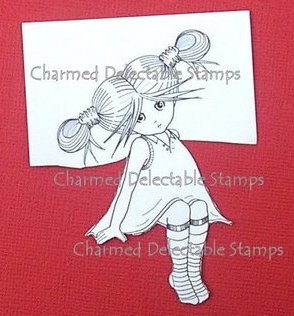
How To - Masking Stamp Designs
Masking
Here is an easy to follow tutorial teaching you how to combine multiple stamped images. Note that the tutorial is copy-righted and must not be reproduced in any way.
Recently Viewed
Some of our Favourite Brands:
What's New?

Mailing List
Enter your email address in the box below to join our mailing list: |

| Site Map |
Go Shopping
Shop Securely

Independently Verified:
Best Sellers
New Products
Socialise With Us


[Home][Products][Search Our Site][Terms & Conditions][Site Map]
| Free Online Classes | Card Making & Scrapbooking Ideas |
What we do: Charmed Cards & Crafts are main stockists of popular craft and scrapbooking brands such as Stamperia, Graphic 45 and Kaisercraft and Basic Grey , Bo Bunny and Prima Marketing - collections comprising flowers, scrapbook paper, paper pads for making cards, tons of embellishments, findings, stencils, stamps, mixed media and lots more - PLUS we also stock numerous other amazing crafting brands. Our product ranges have increased over the years, and encompasses most things. Apart from our main brands previously linked, here is a list of other main departments: Digital Downloads (as featured in all leading craft magazines, perfect for card making) -Dies, Stencils, Templates and Embossing Folders (includes craft dies and embossing folders from Find It Trading, Marianne Design, Kaisercraft, Spellbinders, Crafts Too, CottageCutz, Cuttlebug, Quickutz, Leane Creatif and Stencils/Templates from Hot Of The Press, Tim Holtz, Prima Marketing, Lasting Impressions) Craft Paper & Cardstock (includes 12x12 scrapbook paper, 6x6, 8x8 and 12x12 papers pads, vellum and specialist paper) -Craft Embellishment s (massive department that also houses our popular Flower Department , these flowers are superb whether making cards or scrapping) - Craft Stickers and Rub Ons - Inks and Rubber Stamps (we have a huge selection of both cute and eclectic rubber stamps and clear polymer stamps, plus all your essential stamping accessories) Altered Art Supplies - Scrapbook Albums & Journals - Paper Crafting Kits -Crafting Tools (includes We R Memory Keepers Sew Easy range)-Artist Trading Cards -Rangers Melt Art - Sticky Stuff (Adhesives, Modge Podge, Stickles, Perfect Pearls etc) - Blank Cards & Accessories - Pens, Paints and Mediums (includes PrismaColor pencils, Dylusions, Gelatos, Marker pens, paints) Ribbon, Fibre, Lace -Martha Stewart & Punches -Embossing | |